Robot Hands
Tactile Sensing Explained: How Robot Hands Learn to Feel the Work
Tactile sensing gives humanoid robot hands the contact feedback needed for dexterous manipulation, safe grip control, teleoperation data, slip recovery, and real-world deployment.

Tactile sensing is the missing feedback loop between a humanoid robot hand and the messy physical world. Cameras can show where an object is. Touch tells the robot what happens after contact.
That difference matters for dexterity. A robot that can feel pressure, shear, slip, contact geometry, and deformation can handle softer objects, smaller parts, safer handoffs, and more variable work than a robot relying on vision alone.
Key Stats
18+
Digit 360 Features
0.1 mm
Reported Research Resolution
70%
Palmar Coverage Example
ms
Slip Response Window
Why Vision Is Not Enough
Humanoid robots can see a handle, a cup, a cable, or a tool. Seeing it does not mean the hand knows what is happening at contact. Humans rely on touch constantly: pressure, slip, texture, vibration, temperature, and small force changes tell us whether an object is secure or about to fall. Robots need their own version of that feedback to move from staged demos to useful dexterity.
A camera can estimate pose before contact. Once fingers close around an object, the most important data may be hidden. The hand needs to know whether the object is slipping, whether a soft surface is deforming, whether a part is seated, whether a cable is pinched, and whether force is safe. Tactile sensors put that information at the point of interaction.
This matters for humanoids because the business case depends on work in human-designed environments. Factories, warehouses, hospitals, stores, homes, and construction sites contain tools and materials that were never designed for robots. Vision helps locate them. Touch helps handle them.
The industry has made fast progress in foundation models, teleoperation, simulation, and visual imitation learning. Tactile sensing is the quieter bottleneck. Without touch, a robot may need conservative grasps, rigid fixtures, or frequent human intervention. With touch, it can close the loop during contact.
The practical question is not whether touch is useful. It is whether tactile systems can be cheap, rugged, compact, calibrated, and easy enough to deploy across many hands without turning maintenance into the main job.
What Tactile Sensors Measure
Tactile sensing is a broad category. Some sensors measure normal force. Some measure shear force. Some detect slip or vibration. Some estimate contact geometry. Some use cameras behind soft gels to infer deformation. Some use capacitive, resistive, piezoelectric, magnetic, optical, or fluid-based methods.
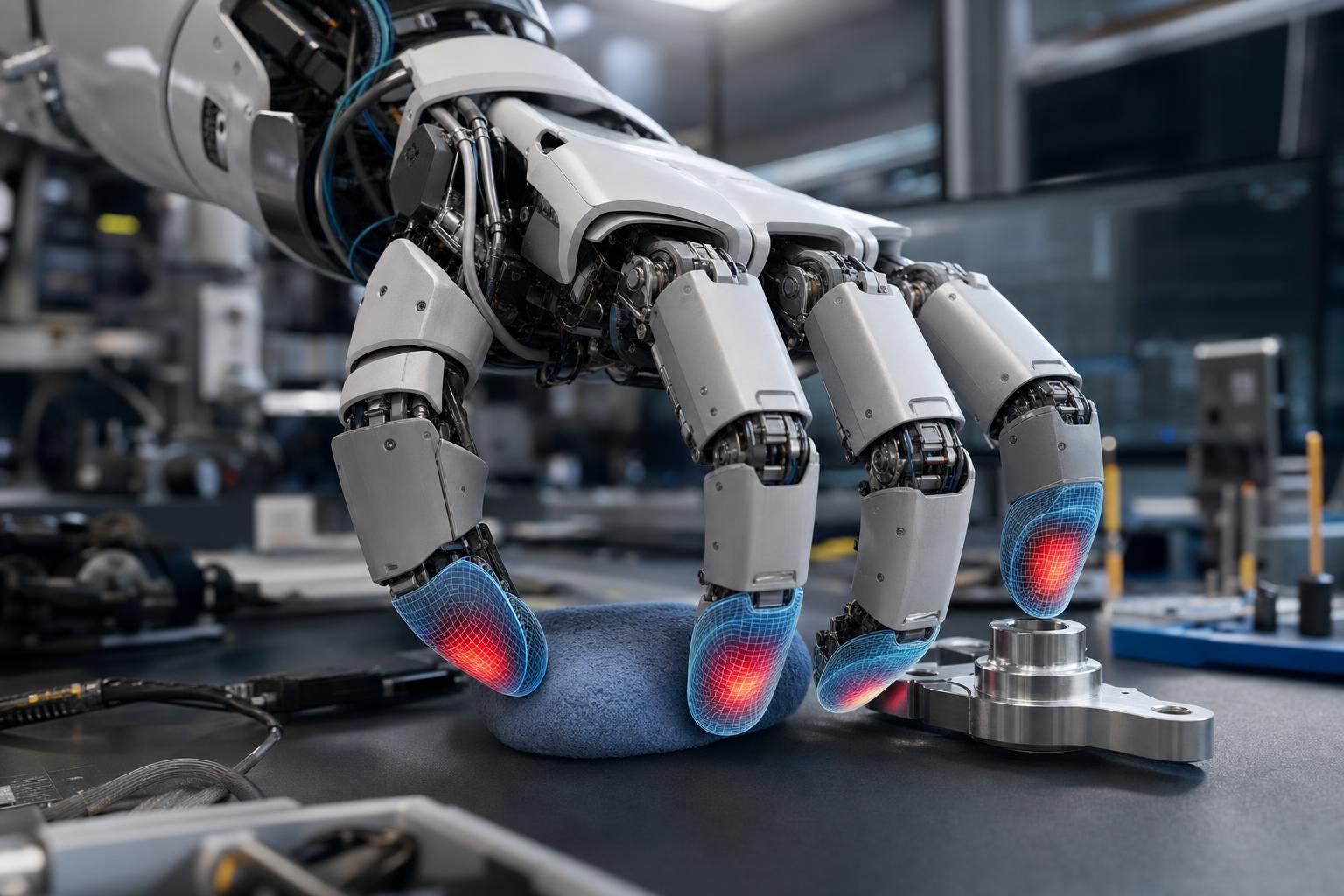
Vision-based tactile sensors such as GelSight-style systems and DIGIT-style fingertips can produce high-resolution contact images. DIGIT was designed as a compact, low-cost, high-resolution tactile sensor for robotic in-hand manipulation. GelSight and Meta later introduced Digit 360, a fingertip-shaped sensor with more than 18 sensing features for touch perception research.
High-resolution systems can reveal local geometry, texture, contact patches, shear, and incipient slip. That makes them useful for research and delicate manipulation. The tradeoff is integration. Cameras, lights, soft skins, lenses, wiring, processing, and protective covers must fit inside a finger that will be bumped, scraped, and replaced.
Distributed tactile skins solve a different problem. They cover larger surfaces, giving a hand or arm awareness of where contact occurs. Recent research on tactile-embedded hands has reported high-resolution coverage across large portions of the palmar surface. That points toward robots that can use the whole hand, not only fingertips.
No sensor type wins every task. A humanoid may need fingertip detail for small parts, palm coverage for bracing, force-torque sensing at the wrist, proprioception in joints, and vision around the object. Dexterity is a sensor fusion problem.
 AI-generated image
Grip, Slip, and the Control Loop
The simplest tactile use case is grip control. A robot closes its fingers, measures contact, and applies enough force to hold the object without crushing it. If the object starts to slip, the hand increases force or changes posture. Humans do this automatically. Robots need sensors and control loops.
Slip detection is especially valuable because visual motion may be too slow or occluded. Micro-vibrations or shear changes at the fingertip can reveal that an object is moving before it visibly falls. That early warning lets the controller recover with less force and less drama.
Force control also protects people and objects. A humanoid working near humans cannot treat every object as a steel block. It may handle fruit, garments, wires, tools, doors, bags, medical supplies, or electronics. The safe force is different in each case. Touch gives the robot evidence instead of guessing from images alone.
The control loop has to be fast. A tactile model that produces a beautiful reconstruction after a long delay may be less useful than a rough slip signal delivered immediately. Hardware, firmware, inference, and motor control must be designed together.
This is why tactile sensing is tied to actuator choice. Backdrivable hands, low-friction transmissions, torque sensing, and compliant mechanisms make tactile feedback easier to use. A sensor can report contact, but the hand still needs the mechanical ability to respond.
Training Data and Teleoperation
Physical AI systems need data from real interaction. Teleoperation is one way to collect it. A human operator performs tasks through a robot, and the system records cameras, joint states, forces, tactile readings, and outcomes. Tactile data makes those recordings richer because it captures what happened at contact.
A robot learning to insert a plug, fold fabric, pick up a flexible pouch, or place a small part needs to understand more than object pose. It needs to learn the feel of alignment, pressure, edge contact, and slip. Tactile streams can help models separate a successful manipulation from a near miss that only looked correct from the camera.
Simulation remains useful, but tactile simulation is hard. Contact mechanics, soft materials, friction, wear, and sensor deformation are difficult to model at scale. That makes real tactile data valuable. It also makes standardization important because datasets from different sensors may not align easily.
The data pipeline has operational costs. Tactile sensors must be calibrated, synchronized, labeled, cleaned, and replaced. High-resolution tactile images create bandwidth and storage requirements. Low-cost sensors may drift. Rugged sensors may provide less detail. The right design depends on the task.
Companies building humanoid data factories should decide early whether touch is part of the core dataset. Adding it later can require new hands, new wiring, new calibration, and new model architectures. The better path is to treat tactile sensing as part of the robot’s language from the start.
The Hardware Tradeoffs
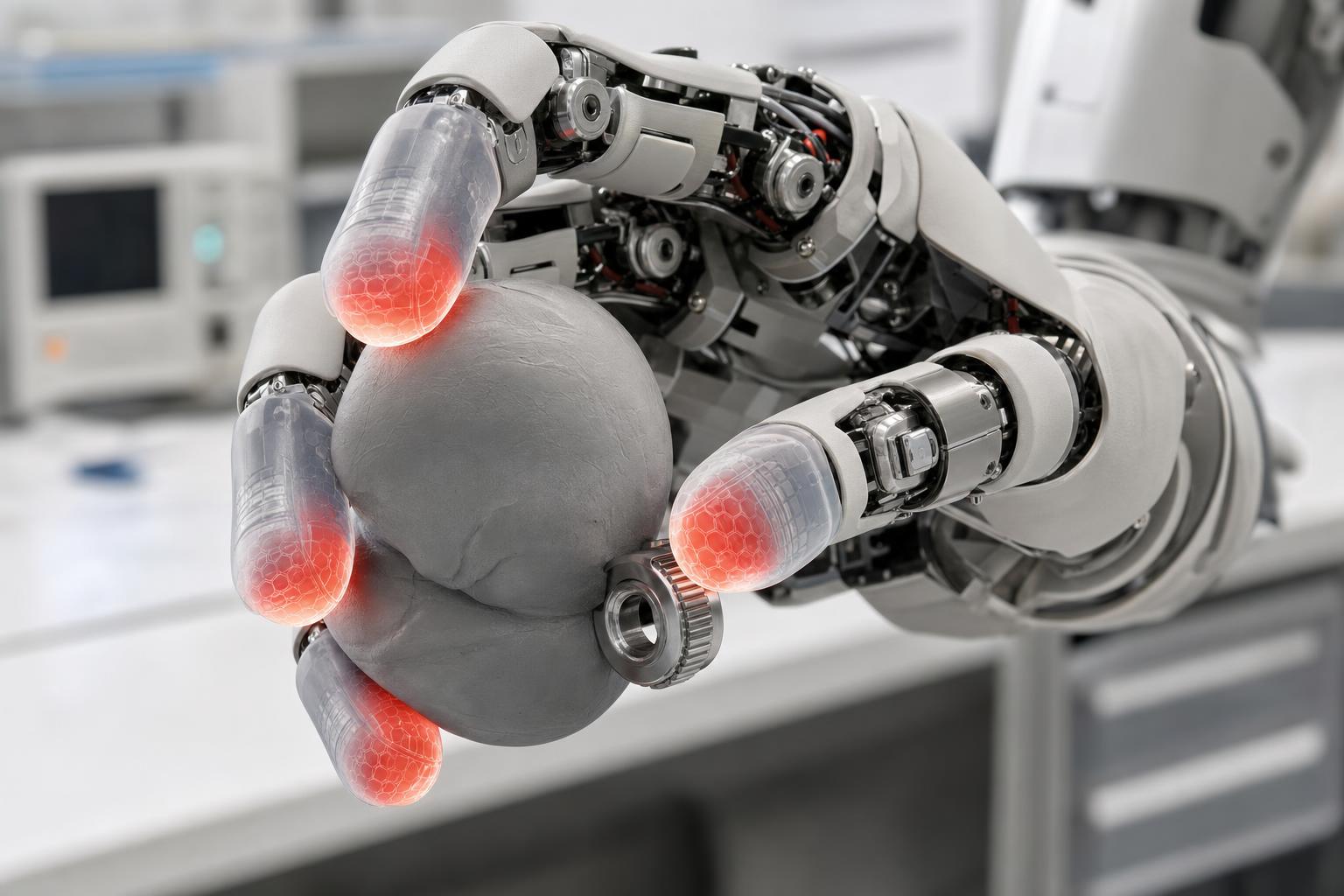
A tactile fingertip has to survive the job. It will press, slide, scrape, collide, and sometimes fail. It must be thin enough to fit inside a useful finger, soft enough to capture contact, durable enough for repeated work, and cheap enough to replace.
Resolution is not free. More sensing elements, cameras, or optical detail can improve perception, but they add processing, wiring, calibration, and failure modes. A factory robot may prefer a rugged sensor that reports reliable force and slip over a research sensor that captures beautiful contact geometry but needs frequent service.
Shape matters too. Human fingertips are curved and compliant. Robot fingers may need pads, nails, side contact, palm surfaces, or tool-specific fingertips. A tactile system built for a parallel gripper may not transfer cleanly to a five-finger humanoid hand.
Maintenance is part of the product. If fingertip skins wear out after a shift, replacement must be fast. If calibration drifts, the robot needs automated checks. If a sensor fails, the controller should degrade gracefully instead of dropping the task. Deployable tactile sensing is as much about service design as sensor physics.
Cost will decide scale. A humanoid with many tactile surfaces can multiply sensor cost quickly. The winning systems will put high-quality sensing where it changes task success and simpler sensing where coverage matters more than detail.
 AI-generated image
From Fingertips to Whole-Body Touch
Humanoids do not only touch the world with fingertips. They lean, brace, carry, bump, kneel, and use arms or bodies to stabilize objects. Whole-body contact can be useful if the robot can detect and control it.
A robot moving through a crowded factory or home needs to know when an arm brushes a surface or a payload touches a doorway. Contact is not always failure. Sometimes it is information. The difference depends on force, location, motion, and task context.
Tactile skins across palms, forearms, shoulders, or torso panels could help robots brace safely and recover from small contacts. The challenge is area. Large tactile coverage must be low-cost, robust, easy to clean, and tolerant of dents or replacement.
Whole-body touch also raises safety value. A robot that senses unexpected contact early can stop or yield before force grows. Safety-rated systems will still need standards and redundant sensing, but tactile awareness can support safer behavior.
The long-term vision is not a robot covered in delicate lab sensors. It is a robot with enough contact awareness to treat the world as physical, not merely visual.
How Tactile AI Changes Manipulation
Tactile AI turns sensor readings into decisions. A model can estimate contact location, object pose inside the hand, slip probability, texture class, material softness, or whether an insertion is aligned. Those estimates can feed planners and low-level controllers.
The most useful systems will combine modalities. Vision identifies the object and task. Proprioception tells the robot where its joints are. Wrist force sensing reports overall load. Tactile fingertips reveal local contact. The controller decides how to move next.
This changes manipulation strategy. A robot can start with a visual guess, touch the object lightly, update its belief, then complete the grasp. It can use tactile exploration to find edges or holes. It can adjust grip as a flexible object deforms. It can verify that a part is seated by the feel of contact.
Tactile learning may also reduce the need for perfect perception. If the robot can correct during contact, it does not need every object pose to be exact before moving. That is how humans work. We use touch to close uncertainty.
The risk is overcomplication. A tactile model that works only in a narrow lab setup will not help deployment. The field needs benchmarks tied to real tasks: cable handling, bin picking, tool use, bag handling, insertion, garment handling, and safe handoff.
Who Is Building the Touch Stack
The tactile ecosystem includes sensor startups, research labs, humanoid companies, gripper makers, component suppliers, and AI teams. GelSight has pushed high-resolution tactile sensing into industrial inspection and robotics. DIGIT-style open research hardware helped labs collect tactile datasets. Academic groups at Meta, MIT, Stanford, NYU, Columbia, and other institutions have expanded the field.
Humanoid companies are quieter about their exact touch stacks because hands are strategic. Tesla, Figure, Apptronik, Sanctuary AI, Agility Robotics, 1X, Unitree, UBTECH, Fourier, and others all need some combination of force, compliance, and contact sensing if they want dexterous work. Public demos often show the task, not the sensor bill of materials.
Industrial users will care less about sensor brand than task reliability. Can the robot pick the part every time? Can it handle variation? Can it avoid damage? Can technicians replace worn pads quickly? Can the data improve future deployments? These questions will separate useful touch from impressive prototypes.
There may also be a component business. If humanoid hands standardize around replaceable tactile fingertip modules, suppliers can sell into many robot platforms. If each robot maker builds custom sensors, the market may remain fragmented longer.
Biped readers should watch both levels: the robots that use touch and the component companies that make touch affordable enough to disappear into the product.
Deployment Metrics That Matter
A tactile hand should be judged by work output, not sensor elegance. The first metric is successful task completion across variation. A robot that can pick one known object from one known pose is less useful than a robot that can handle many objects with small changes in pose, weight, friction, and deformability.
The second metric is intervention rate. If a remote operator has to rescue every tenth grasp, tactile sensing has not solved the deployment problem. The target should be long runs where touch helps the system recover from small errors before a human notices.
The third metric is damage rate. Factories and warehouses care if a robot dents parts, crushes packaging, bends connectors, or scuffs finished surfaces. Tactile feedback should lower the force margin needed to manipulate objects safely.
The fourth metric is sensor service life. A fingertip that performs well for a demo but wears out quickly is a consumable, not a durable subsystem. Operators will ask how many cycles the skin lasts, how long replacement takes, and whether calibration can be checked automatically.
The fifth metric is data usefulness. If tactile streams improve future model training, every deployment becomes a learning loop. If the data is noisy, unsynchronized, or too expensive to store, the sensor may help local control but fail to improve the fleet.
Safety validation should be measured too. Teams need to prove that unexpected contact is detected quickly, that grip force stays inside task limits, and that sensor faults are recognized before a robot keeps working with false confidence.
These metrics are harder to market than a hand close-up, but they decide whether touch becomes standard in humanoid platforms. The winners will make tactile sensing feel ordinary because it quietly improves reliability.
What to Watch Next
The first signal is deployment evidence. A humanoid handling varied objects for hours with low intervention tells more than a short demo. Look for metrics: successful grasps, drops, damage rate, sensor replacement interval, and recovery from slip.
The second signal is tactile datasets. If companies begin training models on synchronized vision, proprioception, force, and touch, manipulation performance should improve in tasks where vision alone struggles. Dataset quality may become a competitive advantage.
The third signal is hand serviceability. A brilliant tactile hand that is expensive and fragile will stay in labs. A slightly less capable hand with replaceable skins and robust calibration may win in factories.
The fourth signal is standards. Contact-rich robots need safety language around forces, unexpected touch, handoffs, and human interaction. Tactile sensing can support those standards, but it will also need validation so companies can prove the sensors work when needed.
Tactile sensing is not a cosmetic upgrade. It is one of the bridges between a robot that moves near objects and a robot that works with them. The next phase of humanoid competition will be judged by contact.
FAQ
Why do robot hands need tactile sensing?
Touch helps a robot detect grip force, slip, contact location, deformation, and whether a manipulation is actually succeeding.
What is a vision-based tactile sensor?
It uses an internal camera and deformable surface to infer contact shape, force, shear, or texture from images of the contact patch.
Will every humanoid need whole-hand touch?
Probably not at the same resolution everywhere. Useful systems will place rich sensing where it changes task success and simpler sensing where broad contact awareness is enough.
Sources: GelSight and Digit public documentation, Digit 360 announcement, tactile robotics research literature, F-TAC Hand research, and humanoid manipulation deployment analysis.